
Reviewed against Pakakumi's current terms and payout policy. Last updated Aug 18,. Reviewed by Jack Owens, Managing Editor.
Getting a deposit into Pakakumi is quick — see our M-Pesa deposit guide for that side of it. Withdrawals follow a similar shape in reverse, but with an extra verification step in the middle, since a payout is leaving the platform rather than entering it.
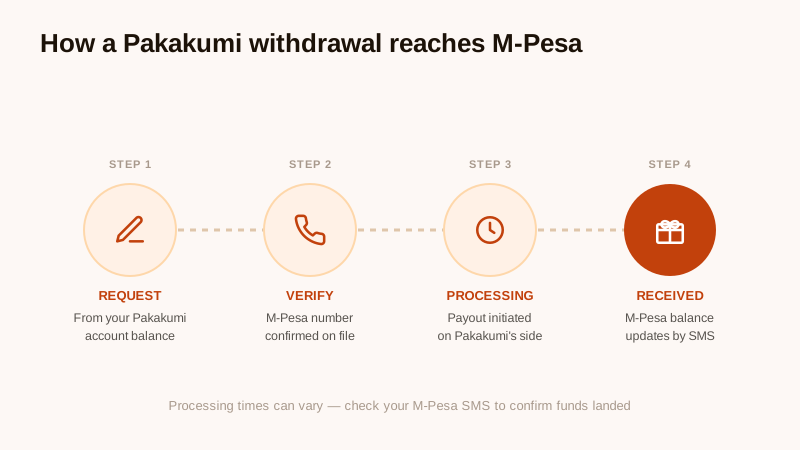
Step 1: Request the Withdrawal
From your account balance on Pakakumi, choose withdraw and enter the amount you'd like to cash out. This step is on Pakakumi's side and doesn't involve M-Pesa yet.
Step 2: M-Pesa Number Verification
Before a payout goes out, the M-Pesa number on the request is checked against the number registered on your account. This is the step most delays trace back to — if the number doesn't match, or your account verification isn't complete, the request can stall until it's resolved. Confirming your registered number in account settings before requesting a payout is the single easiest way to avoid this.
Step 3: Processing
Once verified, the payout is initiated on Pakakumi's side. Processing time isn't fixed and can vary with volume and account checks, so rather than watching a clock, the reliable signal is your phone.
Step 4: Funds Received
When the payout lands, M-Pesa sends a confirmation SMS and your balance updates. If a reasonable amount of time has passed with no SMS and no update, that's the point to check your registered number in account settings and, if it's correct, contact Pakakumi customer care with your request details.
Keeping Withdrawals Straightforward
The two things worth doing before requesting a payout: make sure your M-Pesa number in account settings is current, and complete any pending account verification. Most delay reports trace back to one of those two rather than a problem with the withdrawal itself.
Frequently Asked Questions
How long does a Pakakumi withdrawal take?
Processing times can vary. Your M-Pesa SMS confirmation is the reliable way to check whether a specific withdrawal has landed, rather than relying on an estimated time frame.
Why would a withdrawal be delayed or declined?
The most common cause is a mismatch between the M-Pesa number on file and the request, or incomplete account verification. Confirming your registered number in account settings before requesting a payout avoids most delays.
Can I withdraw to a different M-Pesa number than the one I deposit from?
Account and payout policies are set by Pakakumi and can change, so check the current terms in your account or with customer care rather than assuming — this guide covers the general process, not account-specific rules.
Related reading